Invited by your landlord? Start here
Pay Rent in Seconds. See Both Prices First.
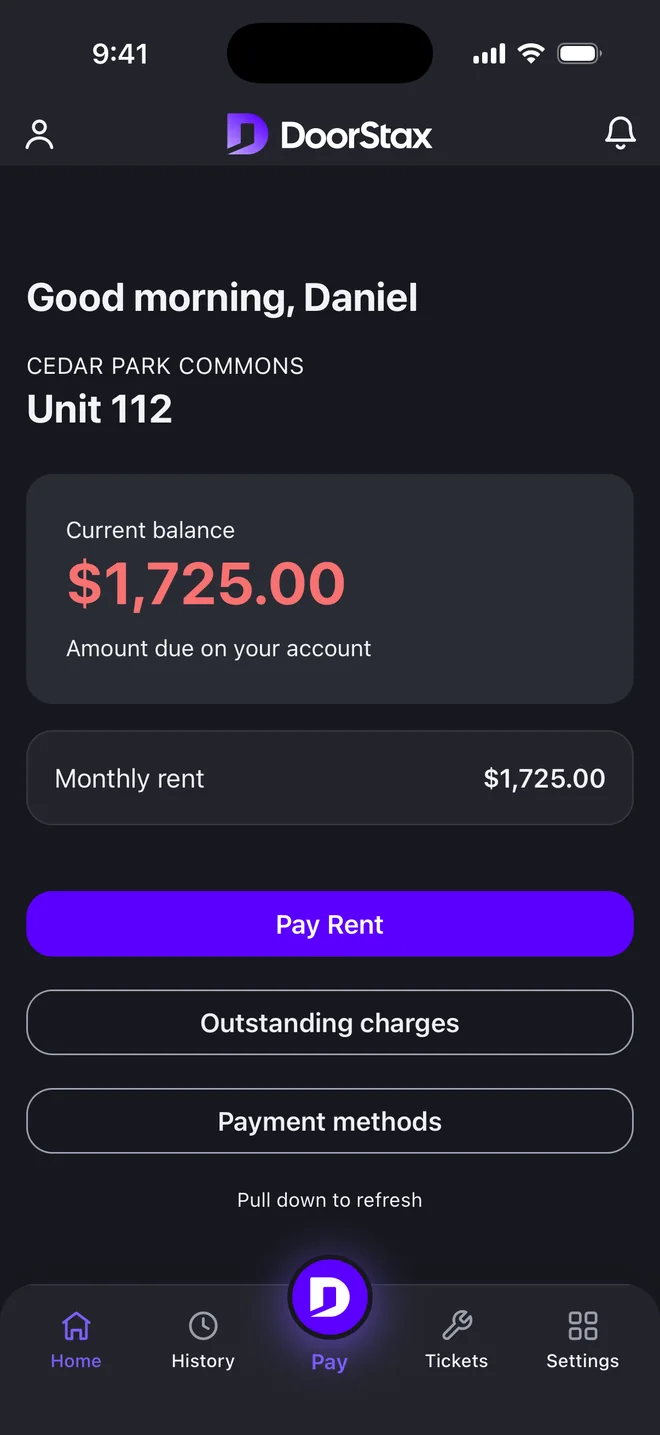
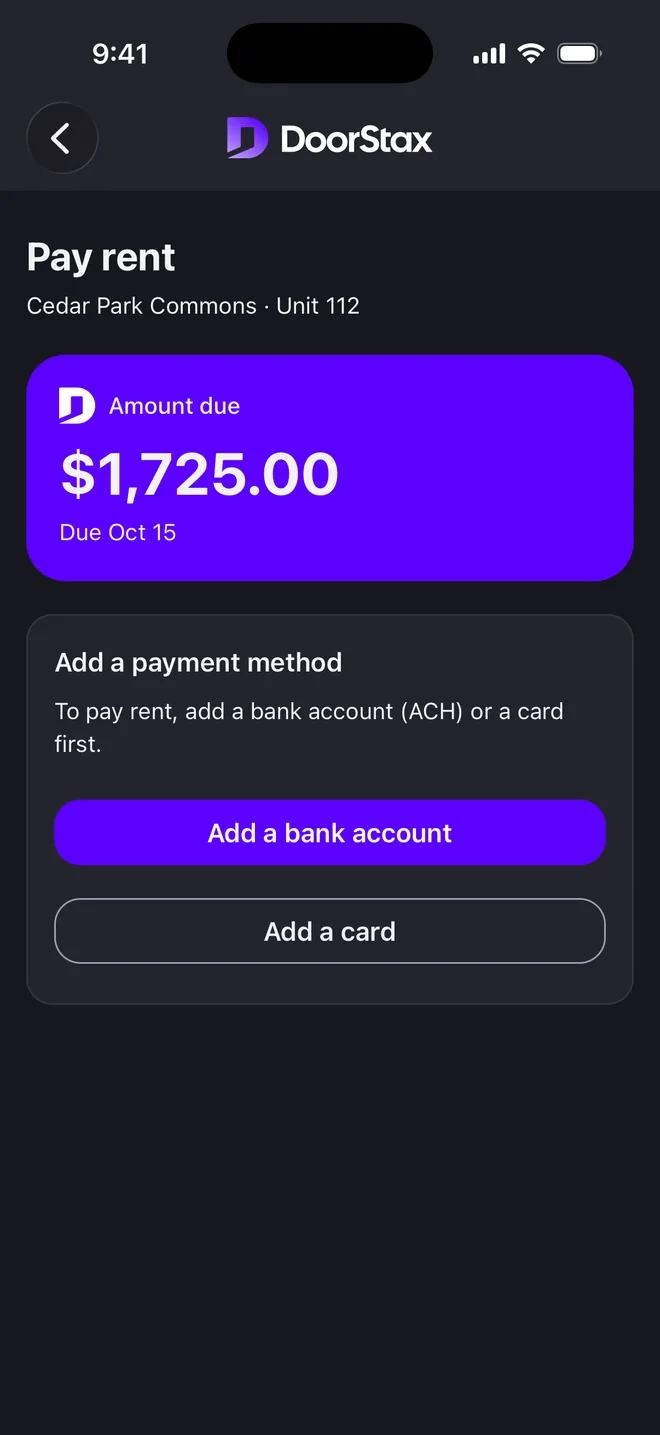
Your landlord or property manager runs their rentals on DoorStax — and you get the good end of the deal. Pay by bank or card with both prices shown before you confirm, put rent on autopay, and keep a receipt for every payment.
- Bank price and card price, side by side — before you pay
- Autopay with a reminder before every charge
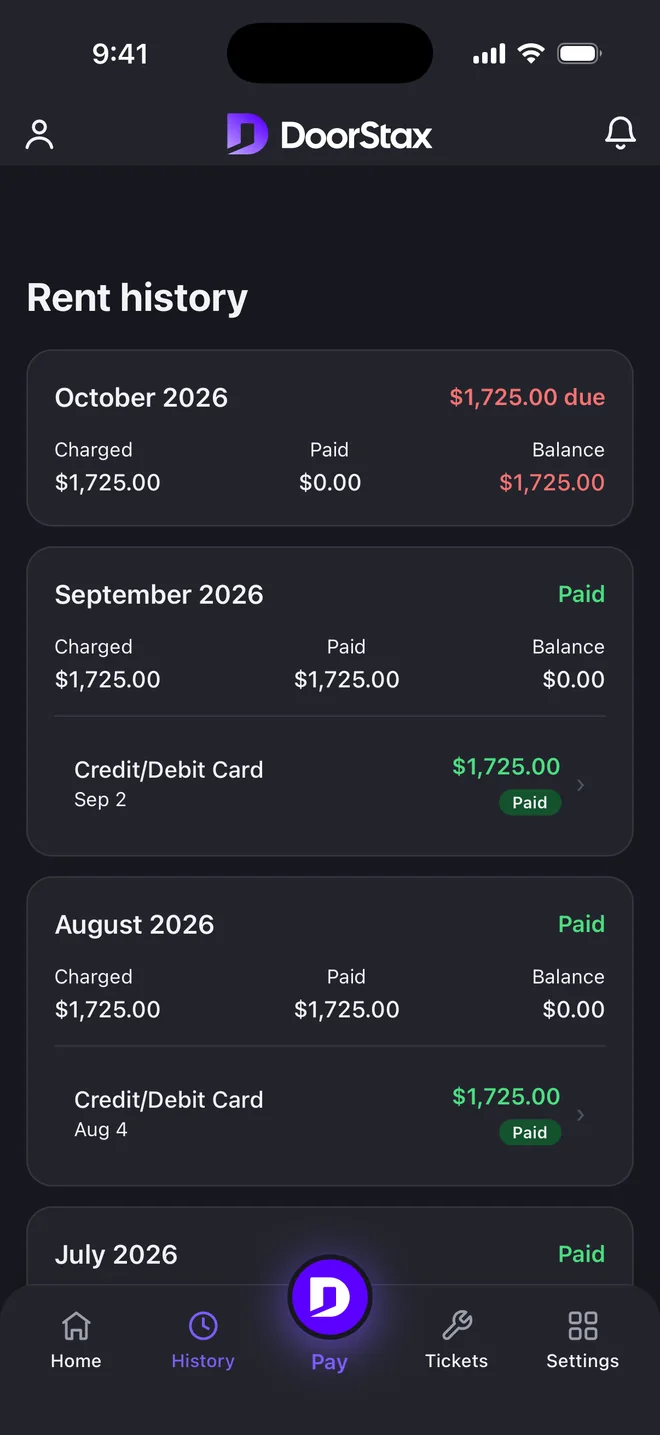
- An automatic PDF receipt for every payment
- Maintenance requests and messages from your phone
Your rent goes to your landlord — DoorStax is the technology, not a middleman.
No invite yet? Ask your landlord about DoorStax · Looking for a place? Browse rentals
Compliant
Illustrative — your exact amounts appear before you confirm.
What renters actually get
Two prices, your choice
The bank price and the card price, side by side before you confirm. Nothing is hidden and nothing is added after.
A receipt for every payment
Generated automatically, stored forever. Your full history is always one tap away.
Reminders before every charge
Autopay never surprises you. You're notified before each charge and can change or cancel anytime.
You pay your landlord, directly
Rent settles to your landlord's own merchant account. DoorStax is the technology in between, not a middleman.
Card processing by Kadima Payments · PCI DSS compliant
What you get
Your Rent Can Do More
One portal for paying, proving, and asking — from any device.
Pay by bank or card
Pay from any device in seconds. You'll always see two prices before you confirm — the bank price and the card price — and choose the one that suits you. Nothing is hidden.
Set up autopay
Turn it on once and rent pays itself on the due date. You're notified before each charge, and you can change or cancel anytime.
Receipts, automatically
Every payment generates a professional PDF receipt with full transaction details and timestamps — and your complete payment history stays a tap away.
Stay informed
Email notifications for payment confirmations, upcoming due dates, new charges, and lease updates. Never be caught off guard.
Maintenance, minus the phone tag
Message your property manager directly, submit maintenance requests with photos, and track them through to done.
Rent that builds credit
Opt in to rent reporting and your on-time payments are reported through a third-party reporting partner to help build your credit history. Optional — opt out anytime.
Illustrative walkthrough of the real 7-step flow.
01 — Get set up
From invite email to move-in checklist in one sitting.
When your landlord adds you, you get an email — not a stack of paperwork. Seven guided steps walk you through personal details, payment method, roommates, move-in checklist, documents, and lease review. Do it once, from your phone or your laptop.
- A guided move-in checklist — stove, hot water, windows — documented before you unpack.
- Your lease, your documents, and your roommates, all in one place.
- Set up your payment method once; every payment after that is two taps.
02 — Put rent on autopilot
The rent that pays itself — and warns you first.
Turn on autopay and rent runs on the due date from the method you chose. Before every charge, a reminder lands in your inbox — so “automatic” never means “surprise.” Prefer to stay hands-on? Rent dates, lease dates, and inspections sync straight to your own calendar.
- Autopay runs on the due date, from the method you chose.
- A reminder before every charge — change or cancel anytime.
- Sync rent, lease, and inspection dates to your calendar.
Illustrative month — yours fills itself in.
How it works
Three steps, then it's routine.
- 1
Get invited and set up
Your landlord or property manager invites you by email. Complete the 7-step guided onboarding: details, payment method, roommates, checklist, and lease review.
About 10 minutes
- 2
Choose how you pay
Bank or card — both prices shown side by side before you confirm. Turn on autopay so rent handles itself.
Two taps a month — or zero with autopay
- 3
Keep everything in one place
Payment history, receipts, calendar, and maintenance requests — plus optional rent reporting to help build your credit.
Always there when you need it
A note from the founder
I run a payments company, so here's the one promise I'll make you as a renter: you will always see the exact price before you pay — the bank price and the card price, side by side. No mystery line items, no digging through your lease to find out what something costs. Your rent goes to your landlord, on a merchant account they own; DoorStax is just the technology that makes paying it fast, documented, and fair. Every receipt, every reminder, every maintenance request in one place. That's the whole pitch.
— Moshe, founder, DoorStax
Your landlord did the paperwork. The easy part is yours.
Got an invite? Log in, finish the guided setup, and rent becomes a two-tap routine — receipts included.
No invite yet? Ask your landlord or property manager about DoorStax.
Compliant
SSL
Frequently asked questions
How do I get access to DoorStax?
DoorStax portals are invite-only: your landlord or property manager creates your account, and you'll receive an email invitation to set it up. If you're expecting one, check your inbox and spam for an email from DoorStax. If your building doesn't use DoorStax yet, ask your landlord about it — or browse available rentals at doorstax.com/listings.
How do I pay rent on DoorStax?
Pay online or in the DoorStax app by bank transfer (ACH) or card. Choose your method, confirm the amount, and submit — you'll get a receipt instantly and can see it in your payment history.
What does it cost me to pay?
You'll always see two prices before you confirm: the bank price and the card price. Paying by bank is usually the lower-cost option; paying by card includes a card processing fee that's shown up front. The exact card price appears on the payment screen before you pay — nothing is hidden.
Can I set up automatic rent payments?
Yes. Turn on autopay once and rent is paid on the due date each month from your chosen method, with reminders before each charge. You can change or cancel it anytime.
How do I get a receipt or see my history?
Every payment generates a receipt automatically, and your full payment history is always available in the app and web portal — handy for your records or a landlord request.
Can I submit maintenance requests too?
Yes. File a maintenance request with photos from your phone or the web, and track its status through to completion.